
Podcasts have been growing like a weed these last few years. People find them relaxing and easy to fit into their lifestyle. Whether you are walking the dog or doing laundry, you can educate or entertain yourself with a podcast.
But what if you started your own podcast? Everyone is an expert in something. Whether that is your hobby or profession. From beauty to gaming, there is plenty of space left in the podcast industry. Wouldn't it be great to discuss all the latest trends and become a real authority?
Now there is one more trend evolving within the podcast industry and that is video podcasting. It's actually quite funny when you think about it. We went from YouTube videos to podcasts because they were less distracting. And now we are adding video to podcasts because we want to see and feel the ambiance.
To help you on your way within video podcasting, we wrote you a beginner's guide: how to start a video podcast for beginners.
After reading this guide you will know the following:
- What is a podcast?
- How you can make money with a podcast
- Which video podcast equipment you need to start
The definition of a podcast
The dictionary states a podcast as follows: “ a digital audio or video file or recording, usually part of a themed series, that can be downloaded from a website to a media player or computer.”
In my opinion, this isn't necessarily a complete definition because most podcasts nowadays are being streamed. But let's be fair, when is a dictionary ever on top of the game. But nonetheless, the essence is right.
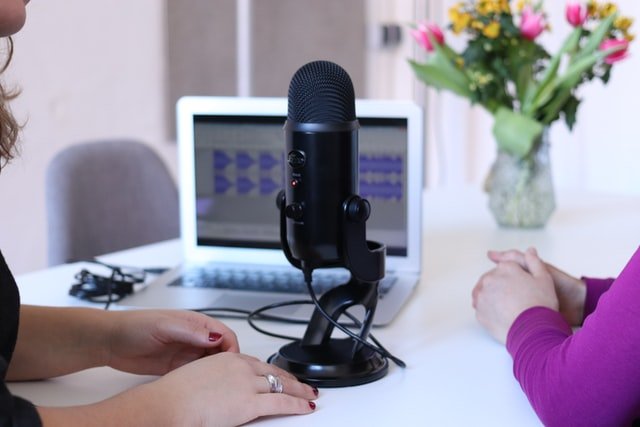
How podcasting became video podcasting
Recently there has been an interesting development within podcasting. We went from videos to podcasts because we experience it as more relaxing. Furthermore, if we focus on the sound only, you absorb the knowledge better.
However, listening wasn't enough for everyone. Some people want to experience the ambiance of the podcast. What does the podcaster look like? Is the room full of plants? Does he or she use high-end podcast equipment?
Therefore many popular podcasts have been adding video to their format. From a marketing perspective, it's very smart to do this. You will just record the show once but you can use the content for the traditional podcast and the video podcast listeners. This will increase your audience reach tremendously without you putting more effort into it.
Video podcast example
One of YouTube’s rising stars, Graham Stephan has recently started a video podcast show called 'The Iced Coffee hour with Jack and Graham Stephan'. That name could be better but nevertheless, it's a very inspirational video podcast for millennials interested in becoming financially independent.
How do video podcasts make money?
So how do popular podcasters make their money? There are actually a couple of direct and indirect ways they make money from their podcast. Let's start with the indirect way.
The most important reason to start a podcast is to establish authority within your niche. You will establish yourself as an expert. Therefore people will start buying more from you. Don't underestimate what a psychological advantage like authority can do to your revenue.
Secondly, it’s your show so you have space to promote your products or services! But be aware of having a high enough trust level before you do this. When you have no or a little bit of authority you shouldn’t be promoting too much. Build up your trust level by providing a lot of valuable content for free. When you start to get around 500-1000 listeners each month, start promoting your own products. But remember, the products must make sense within the context or subject you discuss. Value first!
Lastly, do sponsorship deals. When you get around 1000 listeners, you start to become an interesting platform for brands. Reach out to brands within your niche and explain to them who you are and what you do. Just like with your own products, the sponsorship deals need to add value to the lives of your audience. Only make deals with brands that will have that positive impact.
Why video podcast advertising is effective
Podcasts give you the opportunity that most forms of advertising cannot. With podcasts, you can develop a relationship of trust with your audience.
Often people will start a podcast when they know a lot about a certain subject. Therefore listeners see you as an expert. Even if you don’t necessarily promote yourself that way. Start providing a lot of free valuable content on your Podcast. Discuss tips and tricks that no-one else is giving in your niche. You will start seeing a massive increase in true fans.
With a podcast it’s like someone you know is giving you advice. It has the same power of word of mouth. Therefore it’s extremely powerful and effective.
Video podcast equipment: let’s get your podcast started!
So now you know how much value a video podcast has and that it is a wise investment. Whether that is for you as a person for your business. But where do we start? In this last chapter, you will learn what equipment and software you need to start. These are selected on a basis of value for money.
We will discuss the best options for:
- Microphone, the most important piece of equipment
- Camera, widen your audience by simply adding a camera
- Software, free and paid software
Your podcast microphone
The microphone is without doubt the most important piece of equipment for your video podcast. A part of your audience will never see the video part of your podcast show. They are only interested in the audio part of your podcast. In other words, both your video podcast as podcast listeners will experience your microphone. So it has to be of great quality.
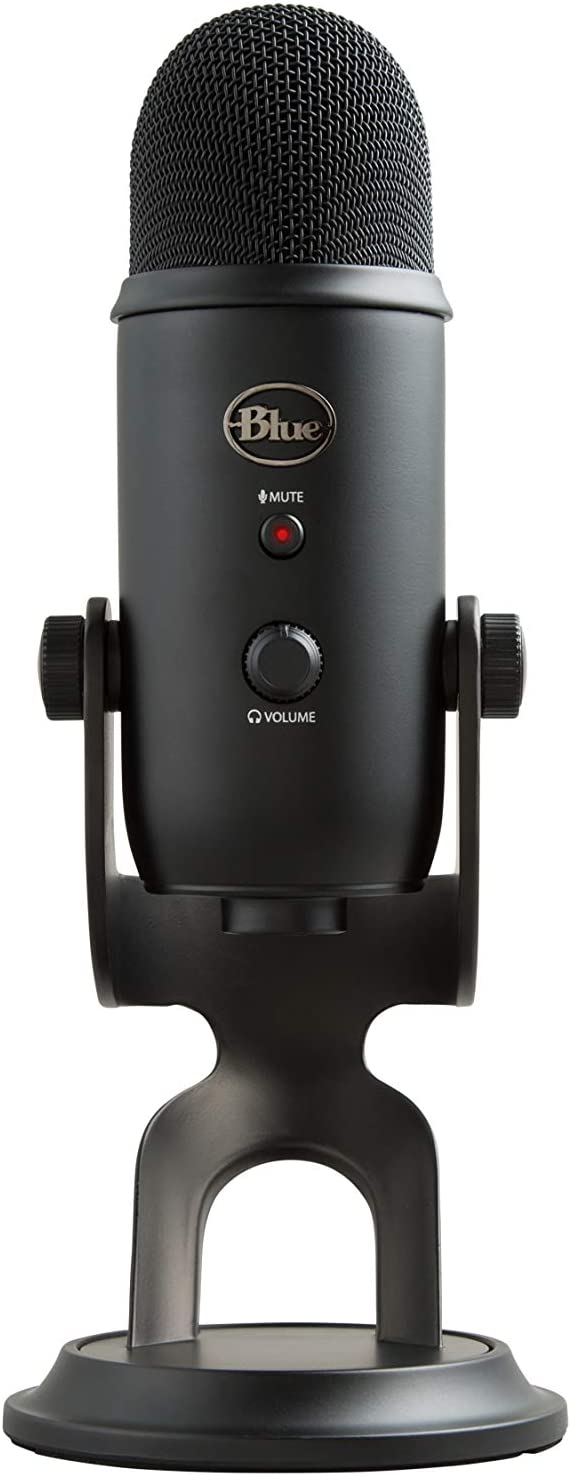
There are many brands to consider but for me, there was one clear winner when we think about quality and value for money. We are talking about Blue Microphones! Blue has been around for a while and has an arsenal of very good microphones. The Blue Yeti is its flagship product.
If you look closely at the video above in this article, you will see Graham Stephan using the Blue Yeti. This is a video podcaster and YouTuber with a channel of 2+ million subscribers. And he uses the Blue Yeti Microphone, says a lot doesn’t it?
Picture by Blue Mic
Blue Yeti: $129.99
The Yeti is the most popular USB microphone for years now and not without reason! The Blue Yeti has a proprietary tri-capsule, so you can choose which sounds the Yeti picks up.
There are two modes you mainly use for podcasting:
- Cardioid mode: for when you make a podcast on your own
- Bidirectional mode: for when your podcast partner sits in front of you

Picture by Blue Mic
The Yeti gives you a very warm and deep voice. Hop back to Graham’s video above and listen to the quality of the Yeti for yourself!
Furthermore, the Yeti has a headphone jack so you can monitor your recording without delay. This is a very important feature every microphone needs to have. More about listening to your recordings in the topic: 'headset to check your podcast quality'.
Lastly, the Yeti has some handy functionalities like the gain control and mute button. The mute button is pretty self-explanatory but the gain control is a setting in which you adjust how much the Yeti picks up from the surrounding. Do you have music on which you want your listeners to hear? Or is it not your own music but the ugly music of your neighbor. In this case, you can easily adjust the gaining so your listeners won't lose their taste in music.
For most podcasters is the Yeti the ideal choice. It gives you that epic radio voice and it’s easy to install and use. Only for musicians or podcasters who want to add music/sound to their podcast, there might be a better choice. Below we will discuss the more advanced Yeti Pro.
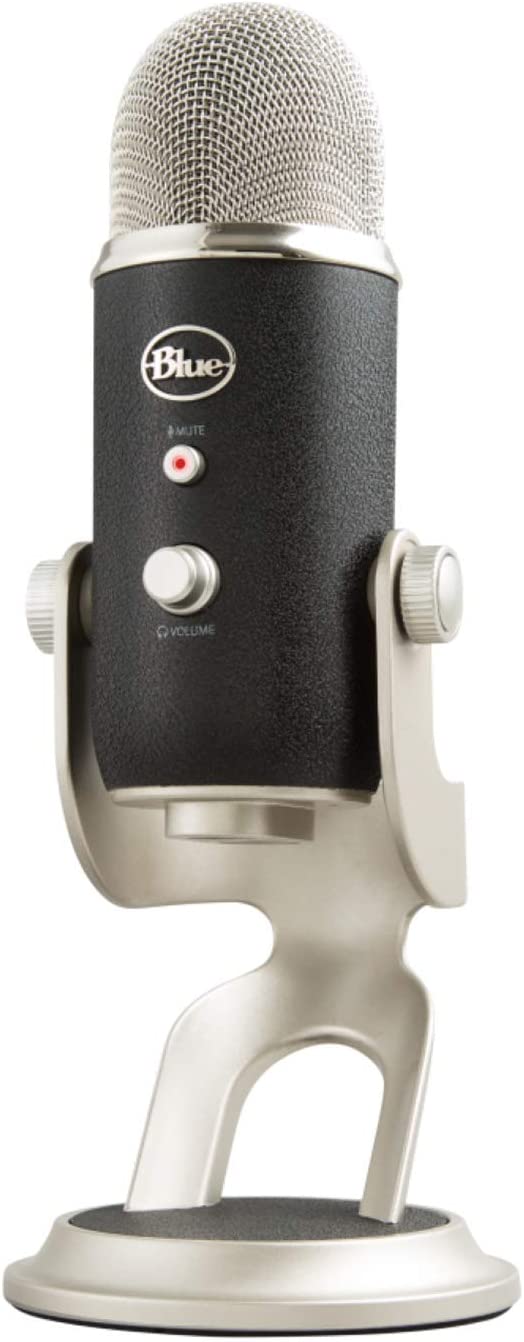
Blue Yeti Pro: $344.58
So if you want to add a more premium sound to your podcast show, you should consider the Yeti Pro. The Yeti Pro is perfect for musicians and anyone who needs the best sound recording quality.
The Yeti Pro has a premium A-D converter that enables high-resolution 24-bit/192kHz audio recording directly to your pc. Making it the best high-resolution USB microphone. If you want to bring your podcast to the next level, the Yeti Pro will help greatly with that.
The Pro comes with a dual XLR breakout cable so you can connect to mixers, high-end preamps, and more of the high-tech studio equipment.
Picture by Blue Mic
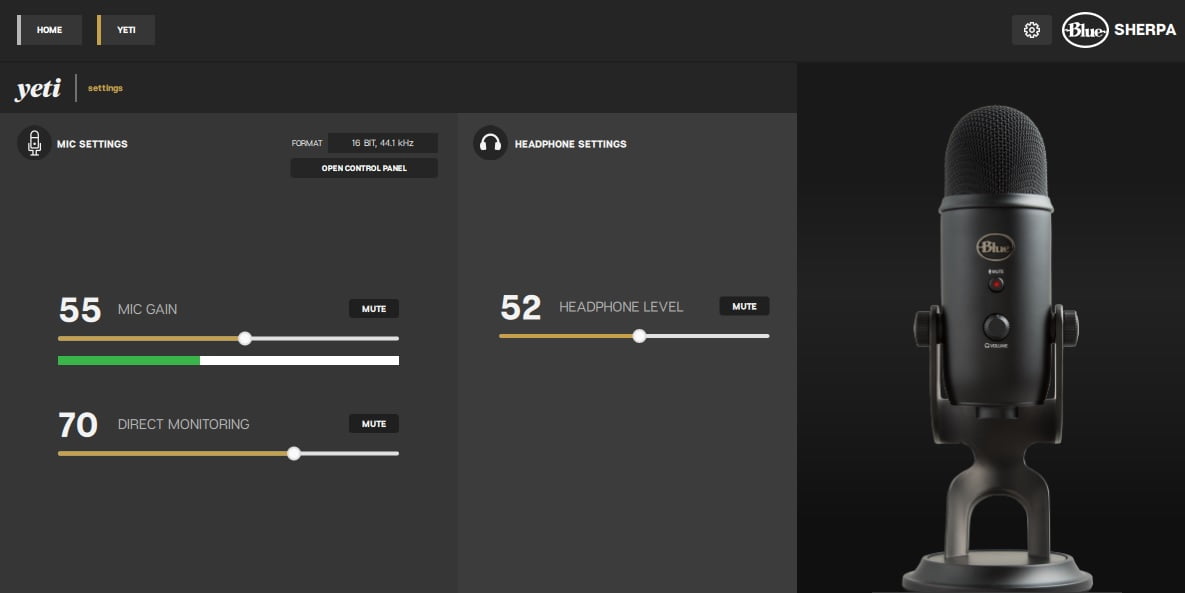
Blue Sherpa: optional software for your Yeti
The Yeti is a plug and play device, meaning that you don’t need drivers to make it work. Just plug your Yeti into your device and you are ready to go.
However, you can download Blue Sherpa if you want updates and adjust your settings. In the picture below you can see the Sherpa dashboard. As you can see it is very easy to use and nothing too technical.
Blue Compass Premium Tube-Style Broadcast Arm: $99.99
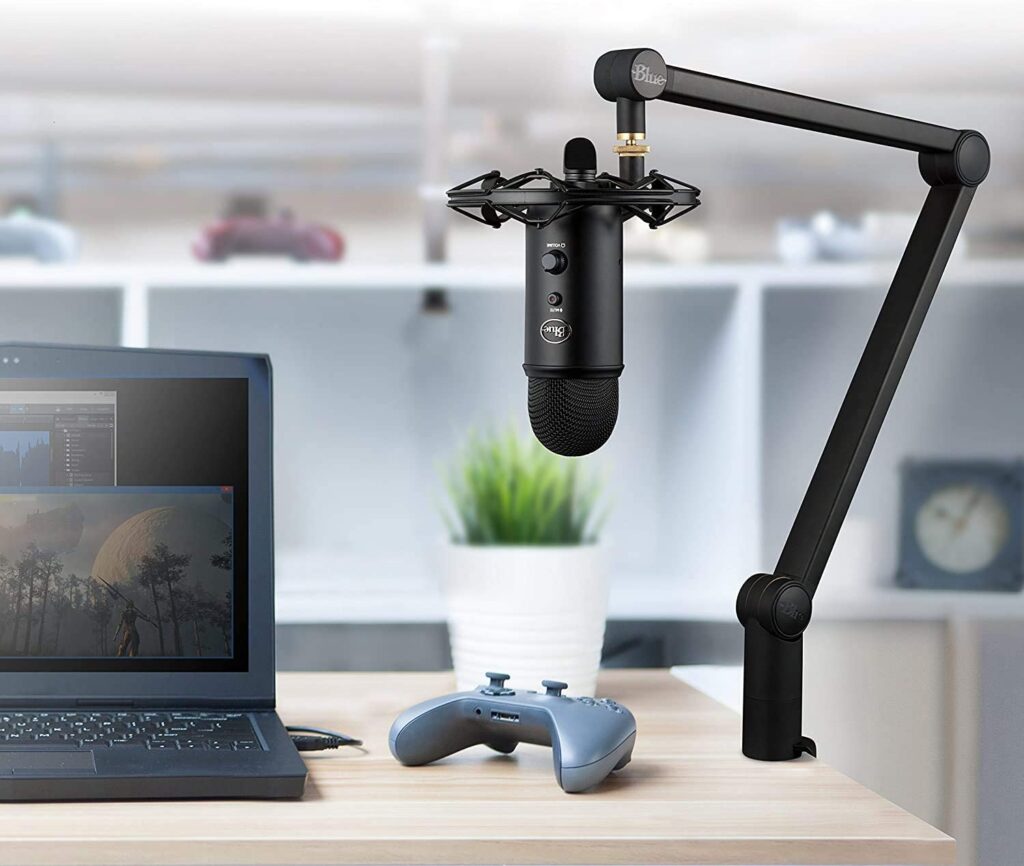
The broadcast arm is very important for your microphone setup. The Blue Yeti catches tremors from your desk very easily. You hitting your table with your leg will sound to your listeners as if a thousand barbarians are hitting the drums. With the broadcast arm, you can prevent this entirely plus the quality of your recording will be better because the mic is right in front of your mouth.
There are cheaper alternatives but I absolutely do not recommend this. The Blue Yeti is quite heavy and all the lighter broadcast arms can’t handle its weight. The Blue Compass Premium is specifically made for the heavy Blue microphones and therefore the only right choice.
Video equipment for your podcast
By adding a camera to your podcast show you can increase your audience significantly. You can make content for both your podcast-only listeners as well as your new video-podcast audience.
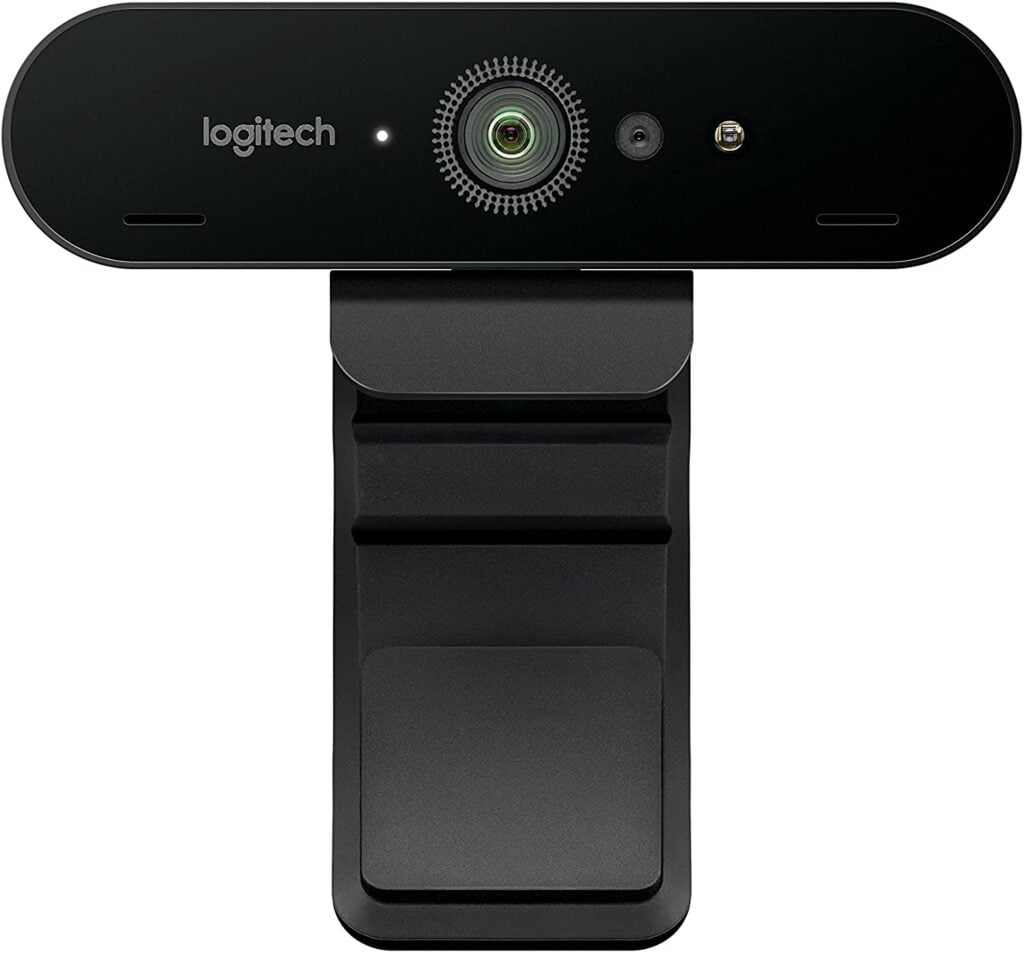
Logitech Brio Ultra HD 4k Webcam for Recording: $209.50
For filming your podcast you can use the Logitech Brio Ultra HD Webcam. The main problem with most webcams is the field of view. Most webcams will go to a maximum of 78 degrees but the Logitech Brio has a 90-degree view! This means your field of view is a lot wider and therefore your office or room looks bigger and 'deeper'. It adds to professionalism and gives a better experience to your viewer.
Furthermore, the Logitech Brio can get a quality of 1080p on 60 fps (frames per second) and 4K on 30 fps. In quality the Brio is unchallenged. No other webcam can produce this level of quality. If you want higher quality then you have to look into professional cameras. Those will start around the $1000 mark.
For beginners, the brio is a very solid basis. You will produce high-quality videos without investing a lot of money.
Logitech Capture Software for your webcam settings
For your settings, you have to download Logitech Capture. It will automatically detect the Brio and configure it.
Get Logitech Capture: https://www.logitech.com/en-us/product/capture
Recommended options are:
- Priority: Framerate
- Field of view: 90 degrees
- Autofocus: on
- Auto white balance: on
- Anti-flicker: 60Hz
Headset to check your Podcast quality
Do you want to prevent painful failing within your podcast? Having a headset with zero-latency monitoring is a must-have. With these headsets, you can easily track down static or loudness problems in your recordings. A normal headset can miss these errors but your listener will certainly hear it.
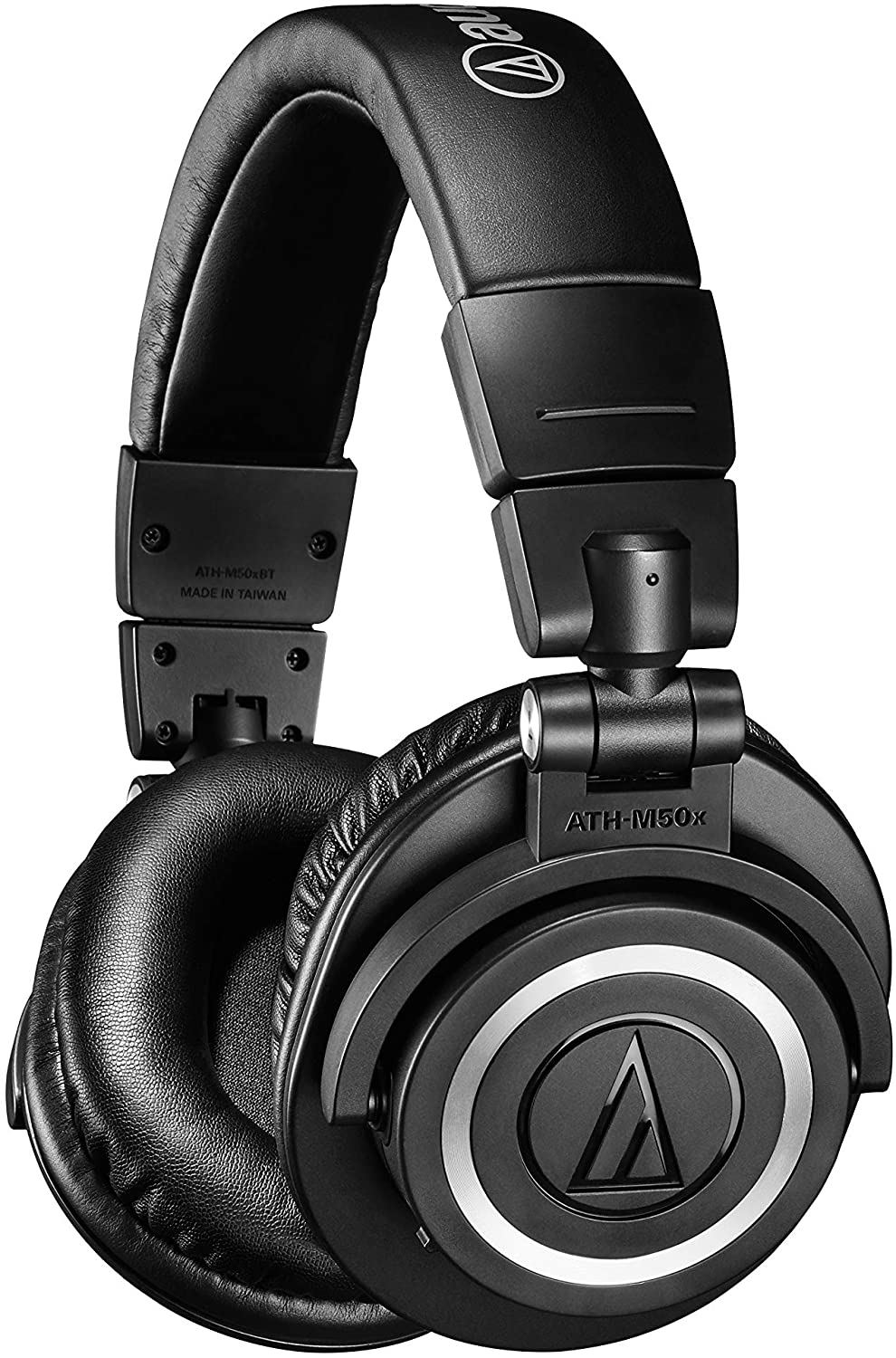
Audio-Technica ATH-M50X: $149.00
The ATH-M50xbt has become very popular with audio fans. Not only is the product being endorsed by 18.000 people on Amazon, but it is also being used in film studios. Hugh Jackman was spotted with one of these!
But more importantly, the ATH-M50x has zero-latency which means you can monitor your recordings without any delay. This is game-changing when you try to produce video podcasts with a spot on quality. You will be able to hear any form of static or loudness sound issues.
It might be weird to hear yourself talk but it will serve you very well. There is nothing worse than recording for an hour, to find out that something was wrong with your sound.
Furthermore, you will get to enjoy your work (and music in your off time) massively with this headset.
Podcast recording software
Now that we have sorted out the equipment it is time to get you the right software. We start with good news because there is plenty of very good free recording software available to you! So you don't have to necessarily invest in software right from the start. However, it is recommended to move towards paid software sooner or later because it just brings more quality to the table.
Tip: start with free software and scale up towards paid software after you reach the 1000 monthly listeners benchmark.
Audacity
A very simple yet powerful recording tool. With Audacity, you can start recording your podcast within a few clicks. Audacity is an open-source digital audio editor and is compatible with both Windows and macOS. The dashboard isn't looking very high-tech but don't fool yourself with this. You can create great quality recordings with Audacity.
GarageBand
Developed by Apple to give you a free digital audio workstation, GarageBand is standardly downloaded on your iOS devices. It looks a bit smoother to the eye than Audacity but in essence, they do the same job. If you don't have GarageBand on your Apple device yet, check out the button below!
Hindenburg Journalist
If you are starting to build up an audience, or want to be a step ahead of your competitors, Hindenburg is the next step to make your video podcast better. With Hindenburg Journalist, you get different tools to truly give you that radio voice. You can also record and edit the file within this amazing piece of software. When you see the results you will know why you pay for this tool. It makes your podcast more professional.
Video podcast conclusion
I hope this article helped you get started in the amazing adventure of creating your own podcast. You have your passion for which you love to express yourself. Now go share this with the world. It's waiting for it!
If you want to know how to brand yourself and your podcast, go check out our ultimate branding guide and best branding tools page.